
We've moved! Hop on over to our website and subscribe to our news feed... and yes, we will be posting often... we apologize for keeping everyone waiting. We've been so busy with web projects and building our portfolio, time just hasn't permitted blogging. But hey, we're back up and running our new blog/news feed and are in the process of building our website.
Subscribe to our news feed here: http://hishandiwork.biz/news
... and don't forget to check out our Graphic River profile where we sell all of our graphics: http://graphicriver.net/user/HisHandiwork
Note: We will obviously not be posting on this blog anymore... but we'll leave it up anyway.
Our News Feed


Photoshoot For Etsy
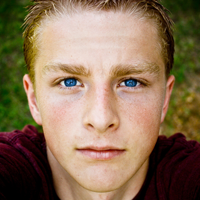
If you haven't noticed already, I don't shoot many photos of human beings. :) Well, here are a handful of photos of my youngest sister modeling her skirt that she made to sell on her Etsy store.
.jpg)
.jpg)
.jpg)
.jpg)
.jpg)
.jpg)
.jpg)
.jpg)


Exclusively For Pro-Creationists
Click on the image below to download my newest creation: Creationism vs. Fatalism wallpaper:

The photo of Genesis was shot by me below:


...hotel...airport...logo...
More pictures from So. Cal. trip.


Here's the latest logo that I have created...It's designed for a company that services half photography and half graphic design.


Adobe Icon Set
I have somewhat duplicated the adobe icons in Illustrator, but added a little twist to the original look:
Click on the link to download this icon set for you desktop (.ico files): http://hishandiwork.biz/adobe_icons_ico.zip
If you would like to download just the images, click on the next link below (.png files): http://hishandiwork.biz/adobe_icons_png.zip
Change Your Blogger Favicon
Do you ever get tired of the same old blogger logo appearing in your browser tab whenever you enter your blog? Well, I finally figured out how to replace that blogger logo (favicon) with my His Handiwork Logo on my blog in Blogger:
Follow the instructions below to do the same to your blog:
Step #1 - Upload your image that you would like to replace onto a remote server (I use Photobucket or Google Groups)
Step #2 - Copy the direct link provided by your image hoster (Photobucket, etc..) and paste it as showed in the image below:
If you have any questions, just email me at luke@hishandiwork.biz
Illustrator CS4: Twitter Bird
This week I received Adobe Design Premium CS4. It includes Photoshop, Illustrator, Dreamweaver, Flash, Indesign, Fireworks, and more. After somewhat mastering Photoshop (no one ever really does) I'm taking some time to learn Illustrator. Illustrator is a program dedicated to creating fully vector graphics. Click here to find out more about Illustrator and how vector graphics work:
Here's my first attempt to create something in Adobe Illustrator:
 Note: I do not use Twitter... :)
Purchase Illustrator

Photoshop Wallpapers
Here are two wallpapers that I've created from scratch to fit my desktop.
Reflection

Metal


Gaylord Opryland Hotel
Our friends took us to see and walk the Gaylord Opryland Hotel Thursday night and I tried to capture some incredible sites with my powershot. See dylanpine.blogspot.com to see photos shot of this hotel from an iphone by my friend Dylan Pine.
-10+(Sig).jpg)
-8+(Sig).jpg)
-9+(Sig).jpg)
-4+(Sig).jpg)
-3+(Sig).jpg)
-6+(Sig).jpg)
-7+(Sig).jpg)
Water foutain amidst dining
-2+(Sig).jpg)
-1+(Sig).jpg)
-5+(Sig).jpg)
Subscribe to:
Posts (Atom)
.jpg)